Apex Legends revive guide
In Apex Legends, much like in other squad-based battle royales, if you are brought to zero hit points but you have a teammate still living, you’ll be “knocked down” (or simply “knocked”). While knocked, you cannot act except to crawl around, and you will slowly bleed out over the next 90 seconds. If you are not revived in time, or an enemy executes you, then you will be eliminated – but unlike in battle royales such as Fortnite or PUBG, you still have a chance to re-enter the fight later on provided one of your teammates survives to bring you back.
Reviving knocked teammates in Apex Legends
Reviving a knocked teammate is simple. All you need to do isstand next to the downed teammate, and hold your Interact key (default “E”) to bring up a progress bar which will quickly fill up over the next 7 seconds. Once the bar is full, the teammate will be brought back into the fight with a small portion of their maximum health. That’s all there is to it!
Be warned however, that you cannot act while reviving a teammate. So if an enemy threatens you while you are reviving, you will need to let go of Interact in order to defend yourself, which will reset the progress bar.
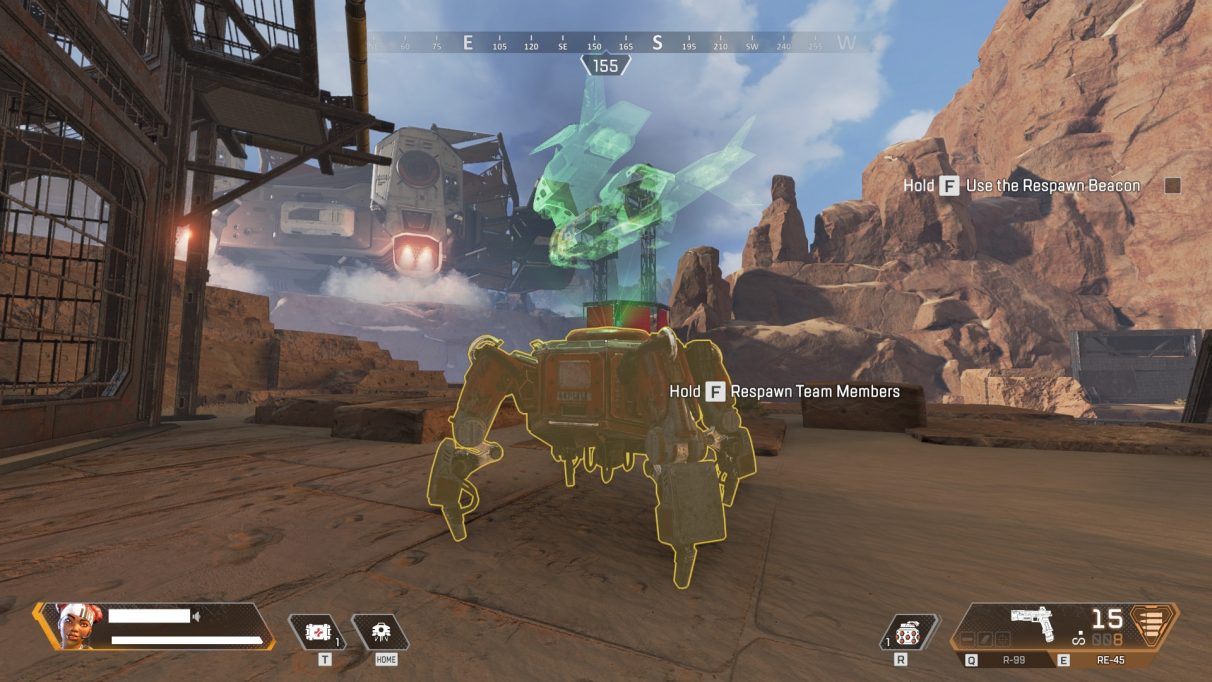
How to use Respawn Beacons
If an ally is eliminated by an enemy, they will leave behind a crate containing their gear and – very importantly – a banner. Taking an ally’s banner is what enables you to potentially bring your fallen teammate back from the dead.
To respawn a killed squadmate, you will need to bring their banner to a Respawn Beacon. These Respawn Beacons are scattered across the map, and look like chunky red tripods with a hologram appearing out of their tops. They are not randomly placed each match, so you can learn the locations of each Beacon as you play more matches and learn the ins and outs of Apex Legends’ map.
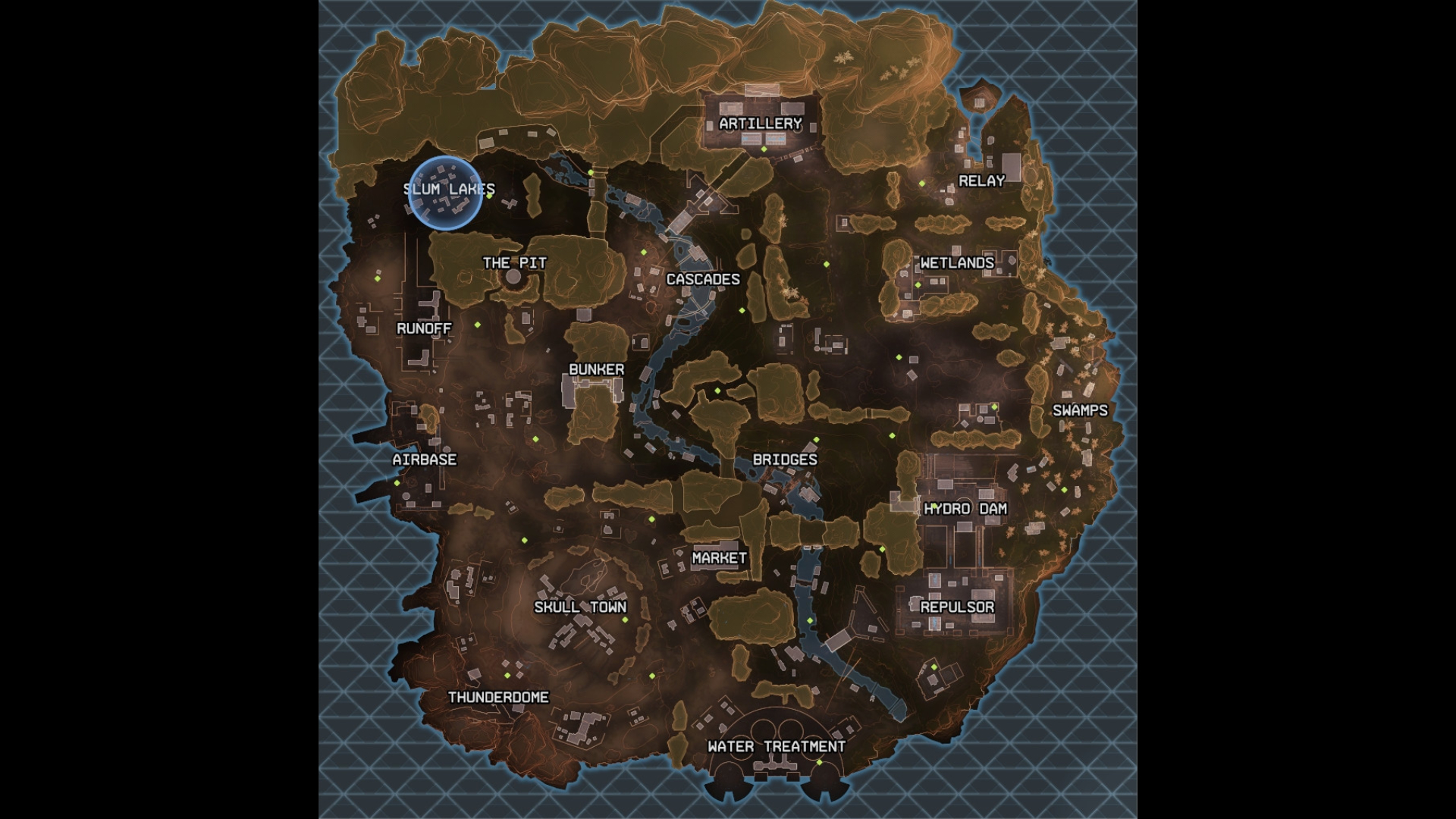
Of course, you can also just bring up your map and check where the nearest Respawn Beacon is, because they’re always marked by a little green diamond. Take a look below:
To use a Respawn Beacon, walk up to it and hold the Interact key (default “E”), just like when reviving a knocked teammate. This will start the process of placing the banner into the Beacon. This process takes 7 seconds, just like reviving a knocked teammate, but this time, you are able to look around while you hold the Interact button. However, you still can’t move or shoot without interrupting the respawn’s progress.
After you’ve completed the respawn, your long-lost teammate(s) will be healed back to 100 health, and brought to you over the next few seconds via droppod. Bear in mind that this calls attention to your location for any who see it, so be sure you’re alone before you commit to reviving an ally!
Respawned allies have no gear
It’s important to remember that allies respawned using a Respawn Beacon do not keep any of their previous gear, so in effect they’re starting the match again, and must search for weapons and other equipment in order to be of any use.
You can help speed this process along by helping them out, and possibly even handing them your second weapon so they can at least defend themselves until you both get adequate gear once more. Bear in mind, however, that you cannot hold extra weapons in your inventory, so you won’t be able to keep both your allies weapons and your own on your person until they’re revived.
Hopefully this guide has helped those who were struggling to wrap their heads around the in-depth reviving and respawning systems of Apex Legends. Now get out there and get reviving! Your teammates need you!